Equipment Maintenance Log Template
A simple maintenance log for repairs and PMs — date, work performed, parts, and downtime per asset. Free for Excel or Google Sheets, no signup.
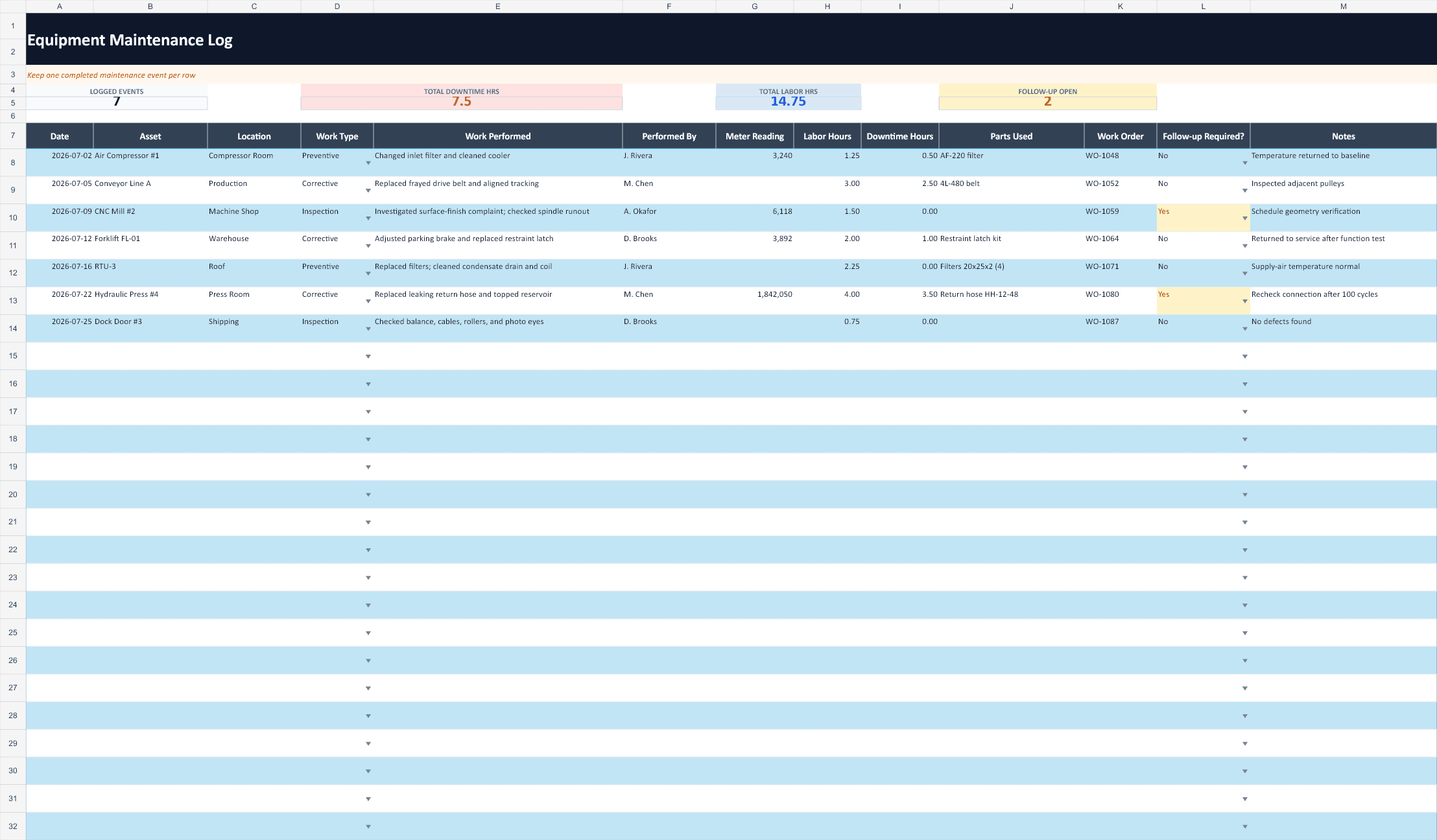
What to record in a maintenance log
A good log answers four questions for any asset: what was done, when, by whom, and what it cost in parts and downtime. Capturing the type of work (preventive, corrective, or inspection) lets you see how much of your time goes to planned versus reactive work — one of the clearest signals of whether a PM program is working.
Over time, the log becomes your reliability dataset. Sorting by asset surfaces repeat offenders; the dates and downtime columns feed metrics like MTBF and MTTR. For more on those numbers, see how to calculate MTTR for a small maintenance team.
Frequently asked questions
What should an equipment maintenance log include?
Each entry should capture the date, the asset, what work was performed, the type (preventive, corrective, or inspection), who did it, the meter or runtime reading, parts used, downtime, and any notes. This template includes all of those fields.
Why keep a maintenance log?
A complete log gives you an audit trail for compliance, a failure history to spot recurring problems, and the data behind reliability metrics like MTBF and MTTR. It also proves work was actually done — which a blank or missing record can't.
Can I import this log into Excel or Google Sheets?
Yes. Open the downloaded workbook directly in Excel, or upload it through File → Import in Google Sheets. The log already includes filters, dropdowns, example entries, and formatted blank rows.
Logs that fill themselves in
With RunTight, every completed work order writes to the asset's history automatically — timestamped, attributed, and organized for review. No double entry.
Start your live maintenance log