Preventive Maintenance Schedule Template
A clean, ready-to-use PM schedule for Excel or Google Sheets — pre-filled with common equipment and tasks so you can start in minutes. Free, no signup.
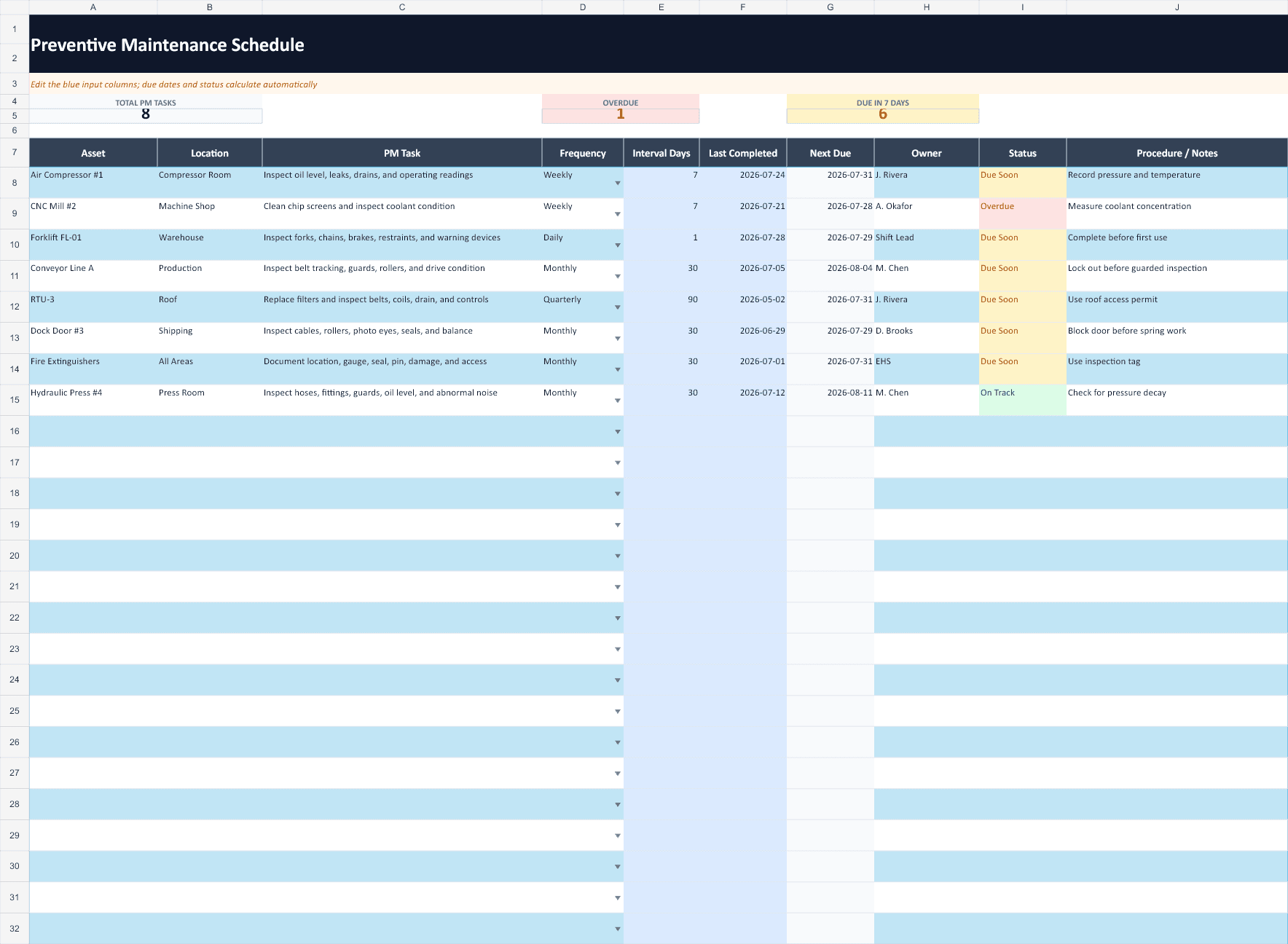
How to use this preventive maintenance schedule
- List your equipment. Add every asset you maintain and where it lives. Group by area if it helps.
- Add the recurring tasks. For each asset, write the specific PM task and how often it's due — weekly, monthly, quarterly, annually, or by runtime hours.
- Track dates and owners. Fill in the last completed date, work out the next due date, and assign someone. Sort by “Next Due” to see what's coming up.
Where a spreadsheet starts to break down
A schedule like this works well at first. The friction shows up later: it can't remind anyone, overdue rows look the same as current ones, and keeping “Next Due” accurate by hand becomes its own job. That's usually the point teams move to software that recalculates due dates, sends reminders, and logs completion automatically. We wrote up the full math on that trade-off in CMMS vs. spreadsheet: the real cost of “free” tracking.
Frequently asked questions
What should a preventive maintenance schedule include?
At minimum: the equipment or asset, its location, the specific maintenance task, how often it's due (frequency), the last completed date, the next due date, and who's responsible. This template includes all of those columns plus a notes field.
How do I open this template in Excel or Google Sheets?
Download the Excel workbook and open it directly in Excel. In Google Sheets, use File → Import → Upload. The formatting, sample schedule, filters, and formulas are already set up for you.
How often should preventive maintenance be done?
It depends on the asset and how hard it runs. Common intervals are weekly checks (fluids, visual inspection), monthly tasks (lubrication, filters), and quarterly or annual overhauls. Start from the OEM manual's recommended intervals and adjust based on runtime and failure history.
Skip the manual due-date math
RunTight turns this schedule into automatic PM reminders, mobile work orders, and a timestamped maintenance history for review — free for teams up to 25, no per-user fees.
Use this schedule free