Free template · Metal stamping and forming

Stamping Die Maintenance & Die Life Tracking Log

A hit-count driven record for stamping dies: setup readings, in-press checks, sharpening intervals, and the reconditioning history that tells you how much life a die has left. Download the formatted Excel workbook, print the field PDF, or put the complete schedule into RunTight.

No email wallExcel & Google Sheets
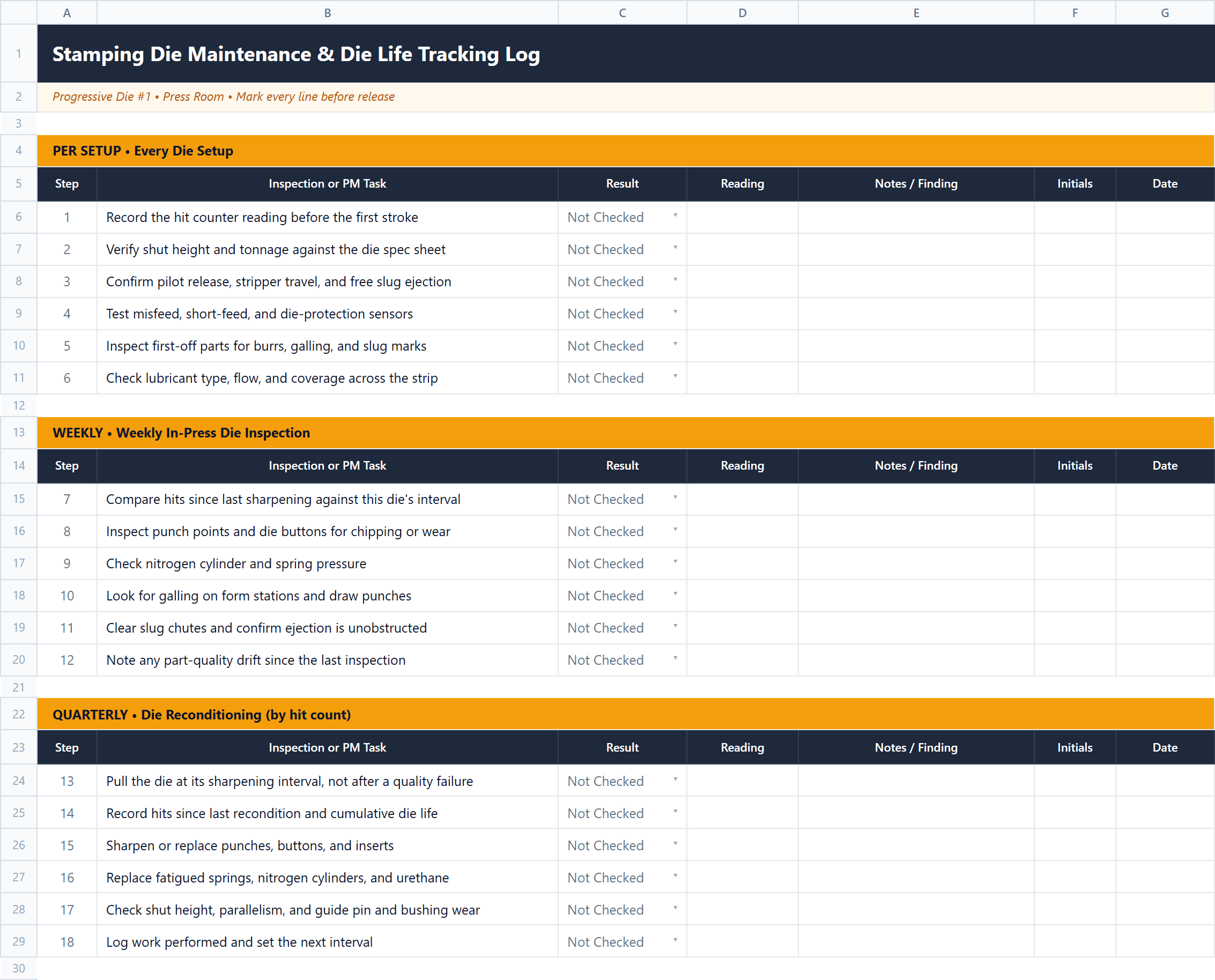
Stamping Die Maintenance & Die Life Tracking Log Excel workbook preview
Actual formatted workbook previewExcel + Google Sheets

Ready-to-use schedule

What's included

Start with these intervals, then adjust them using actual run hours, condition, failures, and manufacturer guidance.

Per Setup

Every Die Setup

  • Record the hit counter reading before the first stroke
  • Verify shut height and tonnage against the die spec sheet
  • Confirm pilot release, stripper travel, and free slug ejection
  • Test misfeed, short-feed, and die-protection sensors
  • Inspect first-off parts for burrs, galling, and slug marks
  • Check lubricant type, flow, and coverage across the strip

Weekly

Weekly In-Press Die Inspection

  • Compare hits since last sharpening against this die's interval
  • Inspect punch points and die buttons for chipping or wear
  • Check nitrogen cylinder and spring pressure
  • Look for galling on form stations and draw punches
  • Clear slug chutes and confirm ejection is unobstructed
  • Note any part-quality drift since the last inspection

Quarterly

Die Reconditioning (by hit count)

  • Pull the die at its sharpening interval, not after a quality failure
  • Record hits since last recondition and cumulative die life
  • Sharpen or replace punches, buttons, and inserts
  • Replace fatigued springs, nitrogen cylinders, and urethane
  • Check shut height, parallelism, and guide pin and bushing wear
  • Log work performed and set the next interval

Track the hit counter, not the calendar

Stamping dies wear by use, not by date. A die running 40,000 hits a week and one running 4,000 reach a monthly PM on the same day, and only one of them needs it. Reading the hit counter at every setup and teardown keeps the interval that actually matters — hits since the last sharpening — in front of whoever schedules the press.

The fields that make die life manageable are the ones this log keeps side by side: die number, press, hit counter reading, hits since last recondition, cumulative hits, target die life, and what was done at each reconditioning. Without cumulative hits and a target to compare them against, "how much life is left in this die?" stays a guess.

Reconditioning history is what turns the log into a forecast. After two or three cycles the hits-per-sharpening figure for each die is real data rather than the builder's estimate, and tooling work can be scheduled around the production plan instead of around a burr that showed up mid-run.
Frequently asked questions

What fields should a die maintenance tracking system have?

At minimum: die number, press, hit counter reading, hits since last reconditioning, cumulative hits, target die life, sharpening interval, date, and the work performed. Hit counter and cumulative hits are the two that carry the most weight — they turn die life from an opinion into a number. Add shut height, tonnage, and part number when a die runs on more than one press.

How do you track die life on a stamping die?

Read the hit counter at every setup and teardown and log the difference. Cumulative hits across the die's life, compared against a target from the die builder or your own history, is what tells you how much is left. Reset the hits-since-sharpening figure at each reconditioning and let the cumulative number keep running.

How often should a stamping die be sharpened?

By hit count rather than by calendar. The interval depends on material, thickness, tool steel, coating, and lubrication — from a few thousand hits on abrasive material to several hundred thousand for a well-lubricated die in mild steel. Start with the builder's figure and let your own reconditioning history correct it.

Make the checklist run itself

Add it to RunTight, assign it to equipment, and automatically send each occurrence to the right phone. The Free plan supports up to 25 users—no credit card or per-user fee.

Use this template free